Apps/Tweaks
trong Cydia phát triển ngày càng nhiều, rất khó để tổng kết, phân loại.
Có khi cài với máy này không sao nhưng với máy khác lại có sự cố mặc dù
hai máy đều cài đặt giống nhau. Có khi cài máy này ổn định nhưng cài
cho máy kia lại xung đột với apps/tweaks khác...
Trong phạm vi bài viết do kinh nghiệm hiểu biết còn hạn chế, tác giả tự
tìm hiểu và thực nghiệm, nếu có gì sơ xuất mong các bạn thông cảm. Mình
sẽ góp nhặt tích luỹ các thử nghiệm và ý kiến quý giá của các bạn để
Bảng Phong thần ngày càng hoàn thiện hơn. Sở dĩ có cái tên gọi Bảng
Phong thần lâu nay là để cho nó có nét kiếm hiệp chút vì cài đặt bậy bạ
tẩu hoả nhập ma ngay, có khi treo máy tức cắn lưỡi chết... Tác giả không
chịu trách nhiệm nếu có sự cố treo táo, ăn cáp dĩa hoặc... nổ máy khi
cài đặt.
Mọi trích dịch, đăng tải bài vở trong này, vui lòng ghi rõ xuất xứ nguồn tinhte.vn, xin cảm ơn.
Quá trình cài đặt Cydia, khuyên các bạn cần quan niệm:
- Không add nhiều sources quá gây nặng Cydia, khởi động chậm chạp, báo lỗi...
- Không cài các apps/tweaks có chức năng giống nhau, kể cả từ nguồn khác.
- Không cài quá nhiều apps/tweaks không thực sự cần thiết.
- Không cài bất cứ gì bạn không biết, không nắm rõ hoặc mơ hồ.
- Remove ngay các apps/tweaks không dùng, hay gây lỗi, bị xung khắc, safe mode.
- Cần xem kỹ chú thích apps/tweaks dành cho loại iPhone hay iPad của bạn.
- Thường xuyên cập nhật kiến thức Cydia để rút tỉa kinh nghiệm cài đặt cho bạn.
- Apps/tweaks chữ xanh dương dành cho thiết bị không phải chip A7 (32-bit).
- Apps/tweaks chữ đen tương thích với tất cả thiết bị kể cả chip A7 (64-bit).
- Apps/tweaks chữ đỏ không tương thích thiết bị, iOS 7, xung khắc, gây lỗi...
- Apps/tweaks chữ xám máy bị lỗi máy không, chưa rõ nguyên do.
- Apps/tweaks viết chữ thường không tô đậm: đang thử nghiệm.
Các sources chính không được xoá:
BigBoss: apt.thebigboss.org/repofiles/cydia
Cydia/Telesphoreo: apt.saurik.com/
ModMyi.com: apt.modmyi.com/
ZodTTD & MacCiti: cydia.zodttd.com/repo/cydia/
Dev Team: repo666.ultrasn0w.com (máy World có thể xoá).
Add sources (không bắt buộc):
xSellize: cydia.xsellize.com/
Cydia.vn: cydia.vn/
HeaveniPhone: cydia.heaveniphone.com/
Các sources không quan trọng:
Appaddict: cydia.appaddict.org/ (để cài AppSync iOS 7)
test-cydia: test-cydia.bitesms.com/ (để test bitesms beta)
@@@@@@@@@@@@@@@@@@@@
APPS/TWEAKS MỚI CẬP NHẬT 19-01-2014.
Test trên iPhone 5s iOS 7.0.4:AppTray, 1.0-36 Cydia.vn. Thêm icon mở nhanh trong Notification Center.
AppLocker, 2.2.5 xSellize. Khoá app mở bằng password.
MultiiconMover+, 2.1.0 xSellize. Di chuyển nhiềi icon một lượt. Chưa tương thích 7.1beta X.
iCleaner, 7.1.1 xSellize. Dọn dẹp rác hẽ thống. (chưa ổn).
iKeywi, 1.4.4-6 xSellize. Bàn phím 5 hàng.
SwipeSerlection Pro, 0.9.2-1 xSellize. Di chuyển con trỏ bàn phím.
A
Activator, 1.8.2 BigBoss. Thao tác nhanh các tuỳ chỉnh của Settings.
Activator Việt, 1.8.1-1 Cydia.vn. Khuyên không nên sử dụng, rối loạn Cydia không thể khắc phục.
AppList, 1.5.6 BigBoss. Tự cài khi cài Activator (đừng xoá).
AppLocker, 2.2.5 xSellize. Khoá app mở bằng password.
AppTray, 1.0-36 Cydia.vn. Thêm icon mở nhanh trong Notification Center.
AppStoreVn iOS 7, 4.0-1 Cydia.vn. Chưa ổn định, gây lỗi hệ thống.
AppSync for iOS 7.0+, 3.1 Cydia.vn. Để cài app IPA. Chưa ổn định.
AppSync for iOS 7.0+, 2.5 xSellize. Để cài app IPA.
AppSync for iOS 7.0+, 2.5 AppAddict. Chưa ổn định.
B
Barrel, 1.7.0.2-1 Cydia.vn. Tạo hiệu ứng khi chuyển trang SpringBoard (không tương thích 7.1beta...)
BigBoss Icon Set, 1.0 BigBoss. Icon của source BigBoss.
BioProtect, 1.3.37 xSellize. Dùng TouchID vân tay để vào ứng dụng. Không cài chung với:
BioLockdown, 1.1 Cydia.vn. Dùng TouchID vân tay để vào ứng dụng.
biteSMS, 8.0.5 test.cydia. Ứng dụng thay thế app message mặc định.
BlurBar. 1.0.1-1 BigBoss. Làm mờ nhoà thanh StatusBar.
BytaFont 2, 2 ModMyi. Thay font hệ thống. Serat từ khoá BytaFont để cài font vào Byta Font.
C
CallBar. 2.3-392 Cydia.vn. Điều khiển cuộc gọi trên thanh banner.
Copic Beta, 3.3-beta-5 Cydia.vn. Hình trong danh bạ và hội thoại.
CCQuick Pro, 1.0-6 xSellize. Vào Settings nhanh trong ControlCenter thay nút Home, Respring, Kill Background..
CCClockOpenToAlarm, 1.0-1 BigBoss. Mở đồng hồ báo thức trong ControlCenter.
CCControls, 1.0.0 ModMyi. Tạo thêm các nút và theme cho ControlCenter.
CyDelete7, 0.7-13 BigBoss. Xoá icon ngoài Springboard các app Cydia đã installed.
CC Deseparator, 1.0.2 BigBoss. Bỏ đường ranh phân chia trong ControlCenter.
CCSettings, 0.0.2-31 BigBoss. Thêm nhiều nút chức năng cho ControlCenter. LƯU Ý: Chỉ cài một trong hai CCSettings hoặc CCToggles thôi. Cài thêm sẽ mất cái cài trước.
CCToggles, 0.1-2 BigBoss. Tạo thêm các nút và các thao tác nhanh cho ControlCenter.
Clean Master, 1.1 BigBoss. Icon dọn dẹp rác, giải phóng RAM cho máy.
ClearOnOpen, 2.0.1-4 BigBoss. Xoá kết quả tìm kiếm sau khi tìm trong SpotLight (không cần thiết).
customLS, 1.2-1 BigBoss. Thay chữ Slide To Unlock ngoài màn hình khoá.
Cydia Installer, 1.1.9 Cydia/Telesphoreo. Kiện hàng Cydia (không được xoá, sẽ mất Cydia, treo táo).
Cydia Subtrate, 0.9.5001 Cydia/Telesphoreo. Mobile Subtrate của Cydia iOS 7 (không được xoá).
Cydia Translations, 1.1.8.1 Local Packaging. Gói ngôn ngữ của Cydia (không được xoá).
Cylay, 5.4.1 ModMyi. Khoá máy, định vị, chống mất máy. Đang test...
D
DateCarrier, 2.0.1 BigBoss. Thay ngày tháng cho tên nhà mạng trên thanh trạng thái (Statusbar).
E
evasi0n 7.x Untether, 0.2 Cydia/Telesphoreo. Kiện hàng Jailbreak hoàn toàn (untethered)
F
FrontFlash, 1.3-4 BigBoss. Tạo đèn flash cho Camera trước kể cả cho iPad.
G
H
HiddenSettings7, 0.1-6 BigBoss. Hiện các Settings ẩn trong ControlCenter.
I
iCleaner, 7.1.1 xSellize. Dọn dẹp rác hẽ thống. (chưa ổn).
IconBounce, 2.0.1-1 BigBoss. Tạo ảnh động cho icons.
iFile, 1.9.1-1 xSellize. Xâm nhập thay đổi hệ thống. Đang lỗi Registry. (chờ bản 2.0.1-1).
iKeywi, 1.4.4-6 xSellize. Bàn phím 5 hàng.
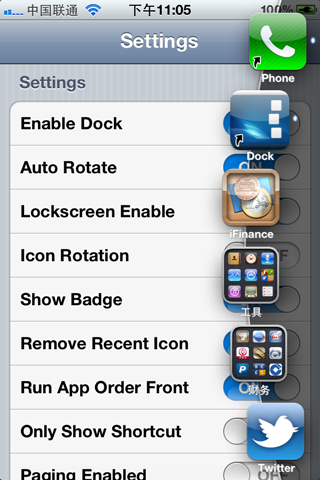
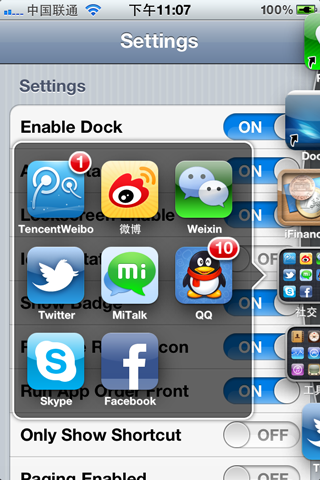
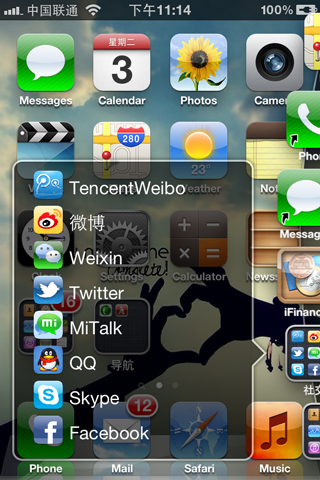
InfiniBoard, 2.1.2-1 Cydia.vn. Đặt icon vào trang SpringBoard để cuộn lên không giới hạn.
InfiniDock, 2.1.2-1 Cydia.vn. Đặt icon vào thanh Dock không giới hạn.
InfiniFolder, 2.1.2-1 Cydia.vn. Đặt icon vào folder không giới hạn.
K
knowy0urCallActive, 1.2-1 BigBoss. Thay cho PhoneBuzzer, Báo rung khi bên kia nhấc máy (chữ y0ur là số 0).
L
LandscapeVideos, 1.1-2 ModMyi. Xem video chiều ngang ngay cả khi đang khoá xoay màn hình.
Lock Screen Tool, 1.4-3 BigBoss. Thay chữ Slide To Unlock ngoài Lock Screen.
Lunar Calendar for Notification Center, 1.5-2 BigBoss. Lịch ăm dương cho Notification Center.
M
Messages Customiser, 1.1.1 ModMyi. Thay mầu nền tin nhắn.
MultiiconMover+, 2.2.1 xSellize. Di chuyển nhiềi icon một lượt. Chưa tương thích 7.1beta X.
MxTube, 2.1 BigBoss. Download MP4 các clips tong YouTube.
N
NoSlowAnimations. 1.2.1 BigBoss. Tăng tốc ảnh động cho iOS 7.
NoSpot iOS 7, 2.0 BigBoss. Bỏ trang Spotlight.
O
OneByOne Contacts, 2.1 BigBoss. Xoá nhanh từng danh bạ trong Contacts.
P
Purge, 1.1 BigBoss. Nhấn giữ trang card trong AppSwitcher để diệt nhanh apps ngầm.
Q
quicklock46, 0.0.1-15 Cydia.vn. Icon tắt nhanh màn hình.
QuickGestures 2, 2.1.1 Cydia.vn. Thao tác trong danh bạ giống Android. Lướt phải: gọi, lướt trái: sms, nhấn giữ: email.
R
RecordMyScreen (Tweak), 3.1-4 BigBoss. Thu hình màn hình SpringBoard.
Repo Icons, 4.7 xSellize. Icon cho server xSellize.
S
SBInfoGrabber iOS 7, 1.0.2
BigBoss. Hỗ trợ thư viện cho LockDown Pro iOS 7. Không cần install vì sẽ
install khi cài LockDown Pro hoặc Power Security.
Slide2Kill 7, 0.0.5-2 BigBoss. Quẹt nhanh từ trên màn hình xuống diệt apps ngầm.
StatusModifier, 1.1.1 ModMyi. Thêm Free RAM bên cạnh giờ trên thanh trạng thái.
SwipeBack, 1.0.2 BigBoss. Di chuyển trang trước.
SwipeNav, 0.7-1 BigBoss. Di chuyển trái phải.
SwipeSelection, 1.4.1-1 BigBoss. Di chuyển con trỏ để chọn.
SwipeSerlection Pro, 0.9.2-1 xSellize. Di chuyển con trỏ bàn phím.
SwipeShiftCaret, 1.6.1-1 BigBoss. Di chuyển con trỏ trong văn bản.
Subtrate Safe Mode, 0.9.3999.6 Cydia/Telesphoreo. Kiện hàng Mobile Subtrate (không được xoá).
Swipey, 1.0.2 Cydia.vn. Vuốt màn hình Lockscreen sang phải để vào nhanh ứng dụng đã chọn. Lướt phải chưa mượt...
SwitchSpring, 1.0.1 BigBoss. Respring, diệt apps ngầm trong AppSwitcher (không tương thích iPad).
T
TransparentDock, 1.1-1 BigBoss. Làm trong nền thanh Dock.
TransparentVolume, 0.0.2-1 ModMyi. Làm trong nền thanh volume.
U
V
Virtual Home, 1.1.1-1 BigBoss. Chạm nút Home để về Home, chạm giữ để vào AppSwitcher.
VoicemailRemoveriOS7, 0.1-16 BigBoss. Bỏ nút Voimail trong Phone.app.
W
WiFi Password, 2.0.1 BigBoss. Ghi lại những WiFi password thiết bị từng đăng nhập.
Winterboard, 0.9.3914 Cydia/Telesphoreo. Thay đổi Theme cho màn hình Springboard. (Chưa ổn định với 7.1 beta X).
Z
Zeppelin, 2.0.2 ModMyi. Thay chữ hoặc logo cho tên nhà mạng trên thanh trạng thái.
Tiếp tục cập nhật...
Tổng hợp hằng tuần...
@cydiatoday 2014 (Tinhte)